
 AI Jason
Tmux + Fable = Cut 35% less token
Summary
AI summaries can be incomplete or wrong. Verify anything important against the original video.
The video demonstrates how to use Tmux to manage multiple terminal sessions and integrate with Claude AI agents, showcasing advanced techniques for efficient agent interaction and development, including the use of the open-agent-teams skill and the TdEL CLI.
The video begins by introducing Tmux as a terminal multiplexer that allows users to manage multiple terminal sessions, detach them, and reattach them later. The presenter then delves into integrating Claude AI agents with Tmux, specifically showcasing the use of the open-agent-teams skill and the TdEL CLI. A key demonstration involves setting up a complex agent workflow where Codex is asked to create a joke, Pi reviews it, and Claude Haiku checks the grammar in parallel. The video highlights how to delegate tasks between different agents and leverage TdEL commands to manage these sessions, including starting, sending messages, waiting for completion, and peeking into the output. It also briefly touches on the Orca platform and its orchestration capabilities, showing how multiple agents can be coordinated. The presenter emphasizes the power of Tmux for managing these complex agent interactions by allowing users to spawn new sessions and communicate between them, ultimately streamlining the development and debugging process for AI agents.
Verdict
Claims & arguments
-
Tmux integration with AI agents
Tmux is a powerful tool for managing complex AI agent workflows, enabling parallel processing and efficient communication between agents.
-
Codex plugin
The Codex plugin enhances Claude Code by enabling users to delegate tasks to Codex agents, streamlining code review and task delegation.
-
Orca orchestration skill
Orca's orchestration skill provides a structured way to coordinate multiple coding agents for complex tasks.
- 15:08 The video shows a visual representation of agent workflows within Orca, illustrating concepts like 'Hand off an active task' and 'Run a phased workflow'.
Key Points
- 0:43 Introduction to Tmux as a terminal multiplexer for managing multiple terminal sessions.
- 10:01 Demonstration of installing and using the 'openai/codex-plugin-cc' in Claude Code.
- 12:33 Explaining the TdEL CLI for delegating tasks to CLI agents running in detached Tmux sessions.
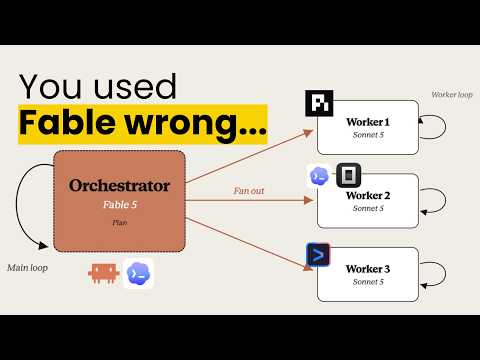
- 13:30 Showcasing a complex agent workflow involving Codex for joke creation, Pi for review, and Claude Haiku for grammar check.
- 13:50 Demonstrating how to use TdEL commands like 'start', 'send', 'wait', 'peek', and 'result' to manage agent sessions.
- 14:49 Brief overview of the Orca platform and its orchestration skill for coordinating multiple coding agents.
Worth watching if: This video is for developers interested in advanced terminal management and AI agent workflows. If you want to learn how to leverage Tmux, Claude AI, and other tools to create complex, multi-agent systems, this video provides valuable insights and practical demonstrations.
Get every AI Jason video extracted like this
One daily email with structured extracts of every channel you follow. Free tier covers 15 videos a month.
Sign in with GoogleNo credit card. Free tier forever.