What you get
Every video, fully structured.
One paste turns an hour-long video into a summary, the claims that matter with timestamps, the key moments, and a clear verdict.

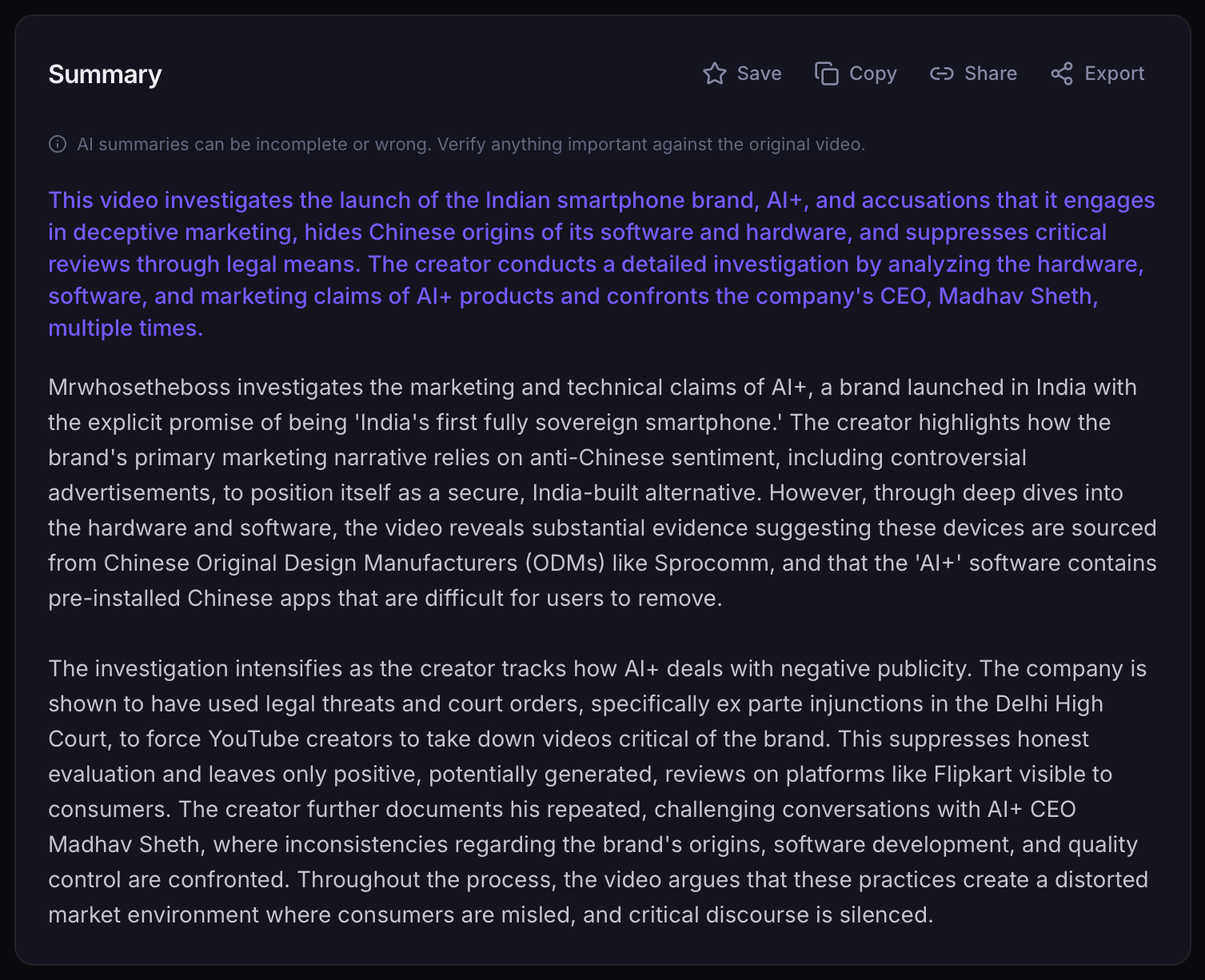
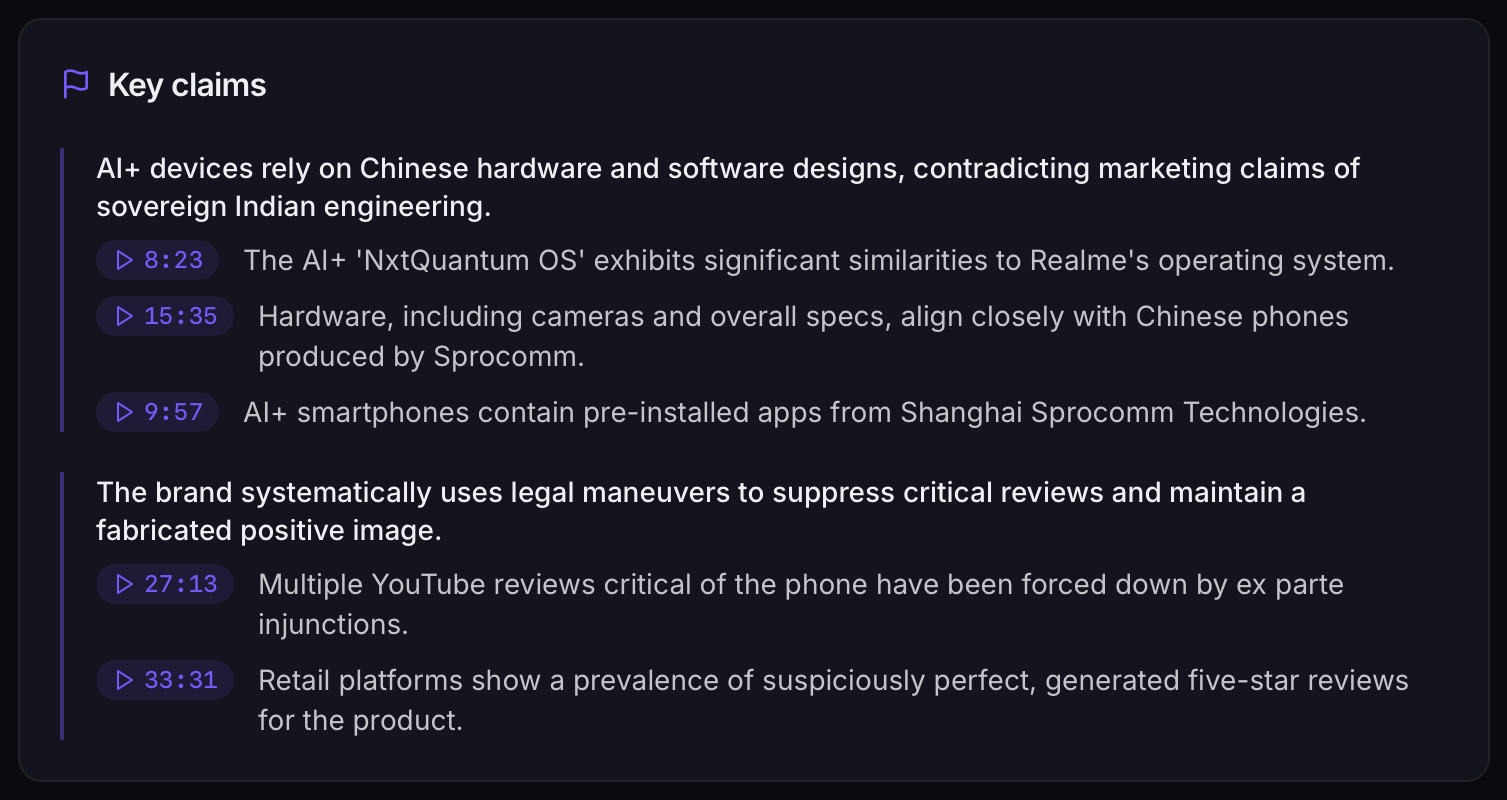
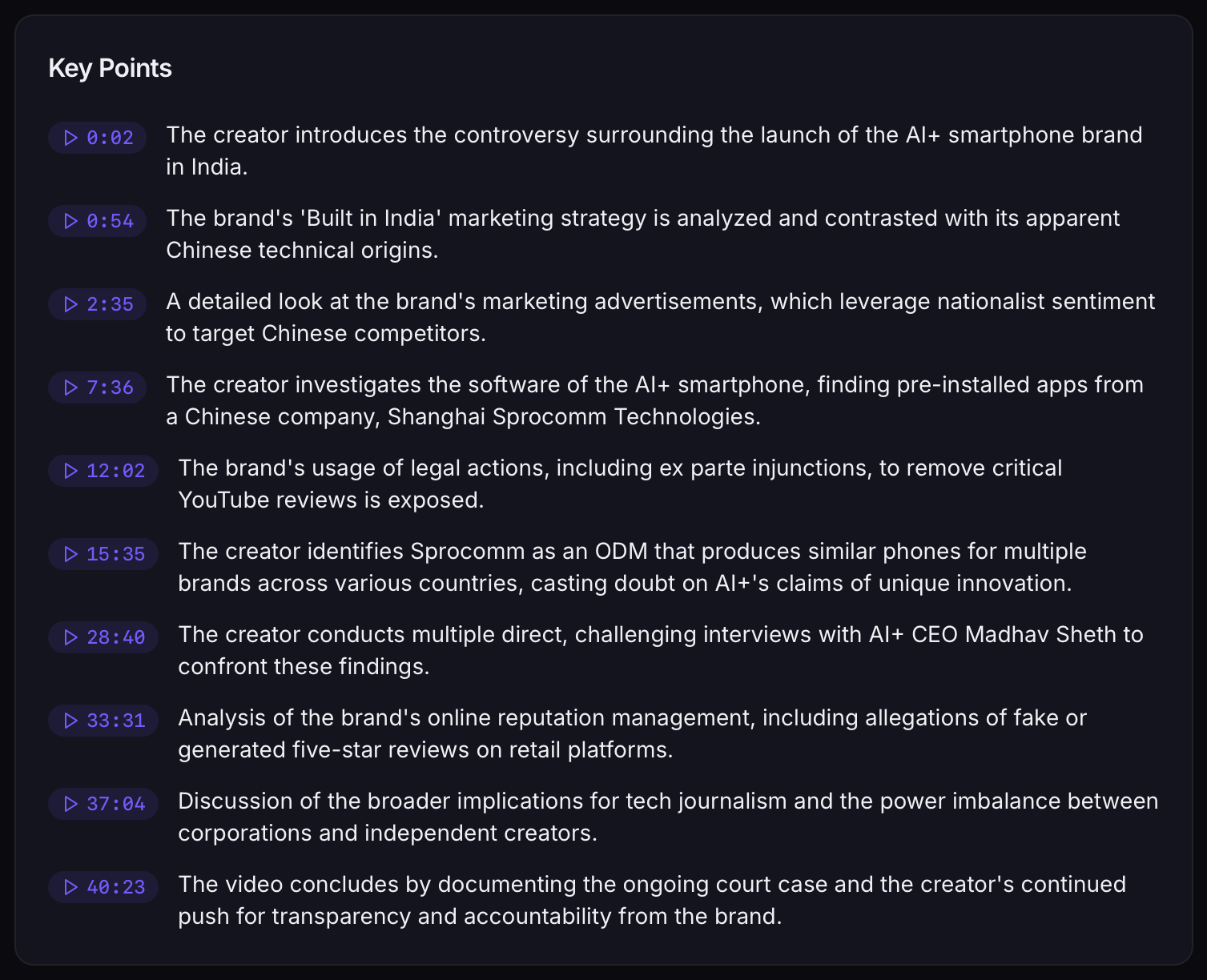

Rundown tracks every channel in your space — competitors included — summarizes every upload, and sends you one brief: what's trending, who's converging, and what to make next.
Try it free on any video, up to 10 min, no signup — then let Rundown brief you on your whole niche. Track my niche →
Read-only YouTube access · We don't sell or share your data · Disconnect anytime
One paste turns an hour-long video into a summary, the claims that matter with timestamps, the key moments, and a clear verdict.


Add the channels in your space by URL or @handle — competitors and benchmarks included, not just your subscriptions.
Every new video becomes key points, timestamped claims, sources, and a worth-watching verdict — the moment it goes live.
One brief on what's trending, who's converging, and where they disagree — plus a searchable memory of everything your niche has said.
Every channel in your niche, every upload — turned into one brief, then archived forever so nothing your niche says is ever lost.
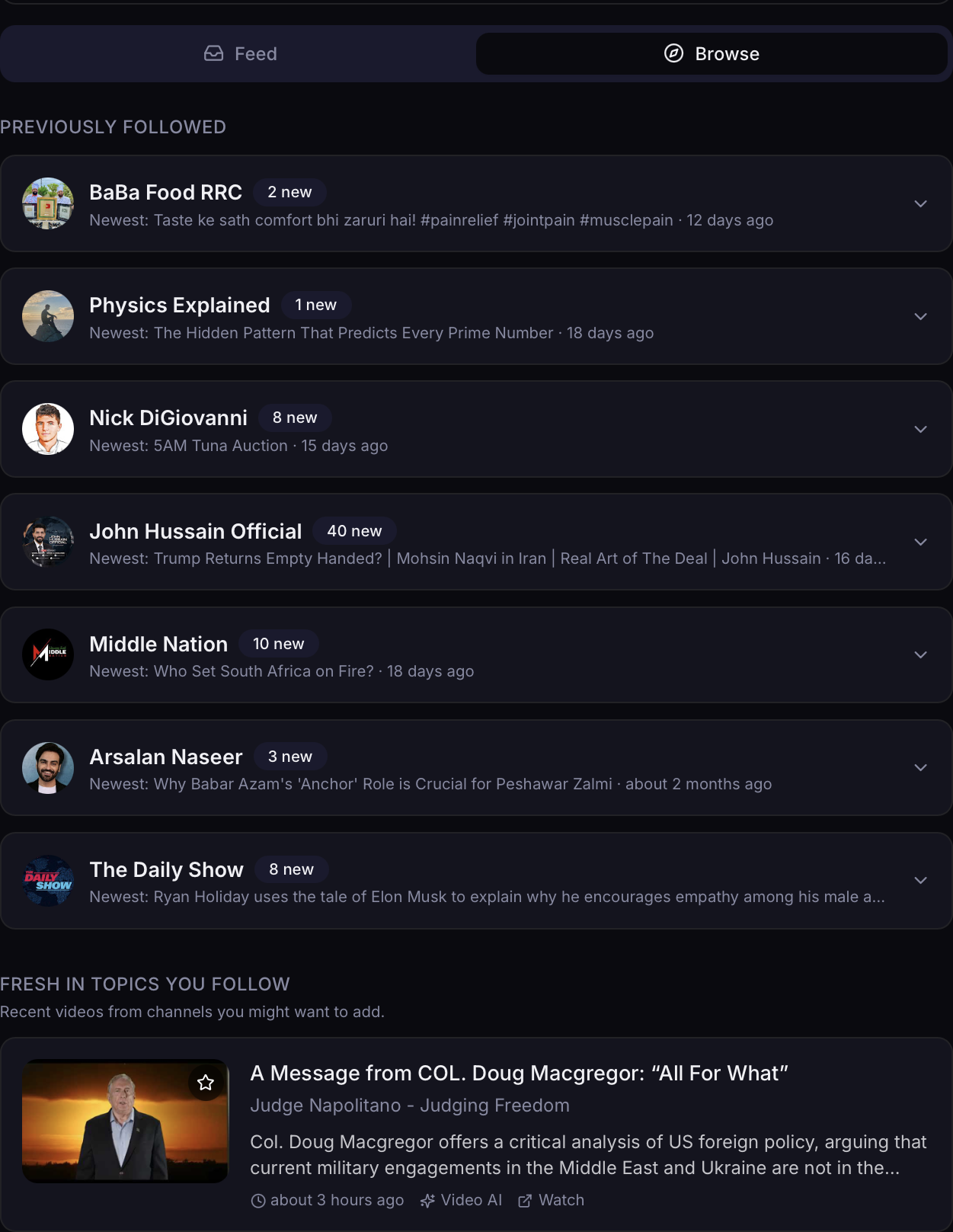
The moment any channel in your niche posts, it's summarized and waiting — grouped, skimmable, nothing slipping past. Know what your space shipped in seconds, not hours.
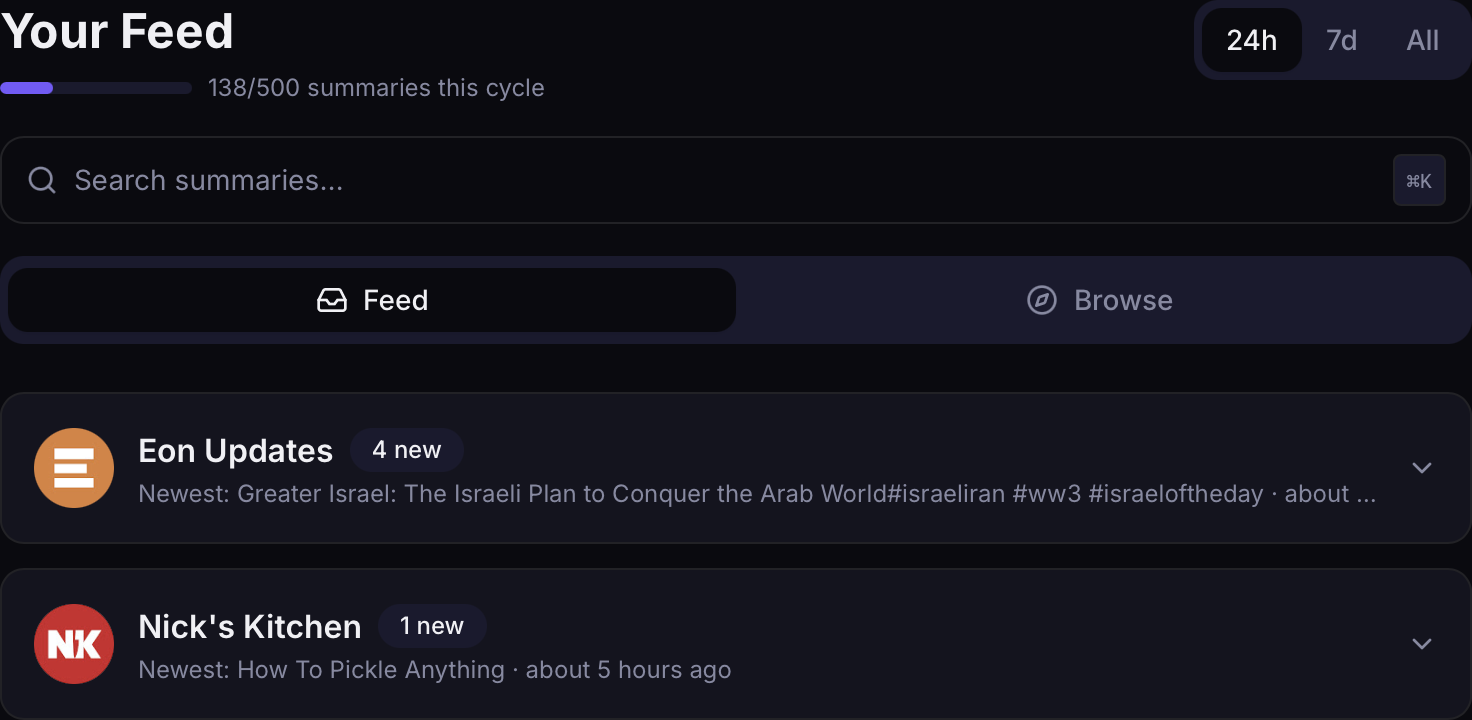
Paste any competitor's URL or @handle and Rundown starts covering them — no need to follow them on YouTube. Watch your whole space, not just your feed.
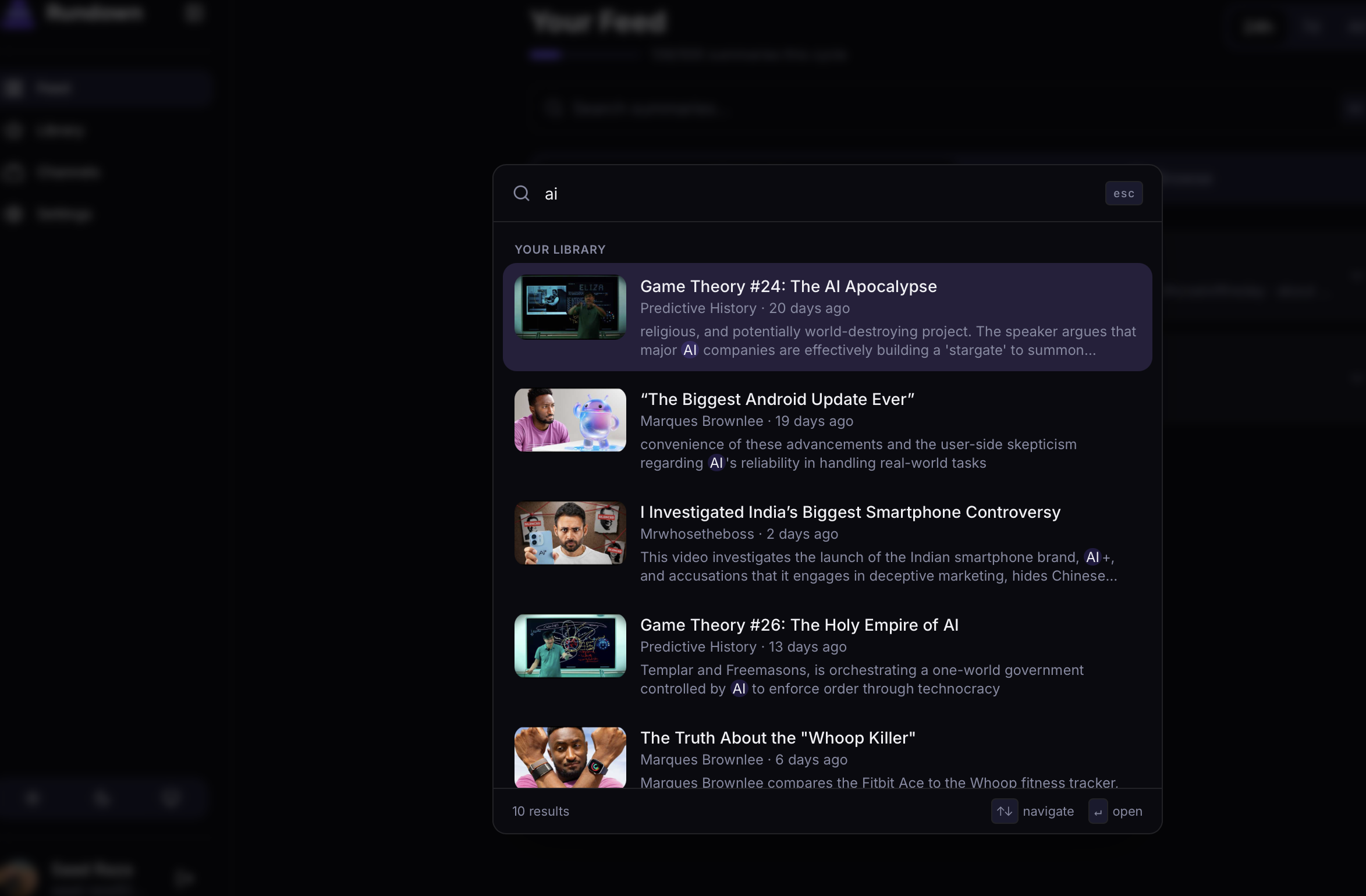
"Who covered AI agents in March, and what did they claim?" Search every summary across your niche — semantic and keyword — with the exact moments pulled to the top.
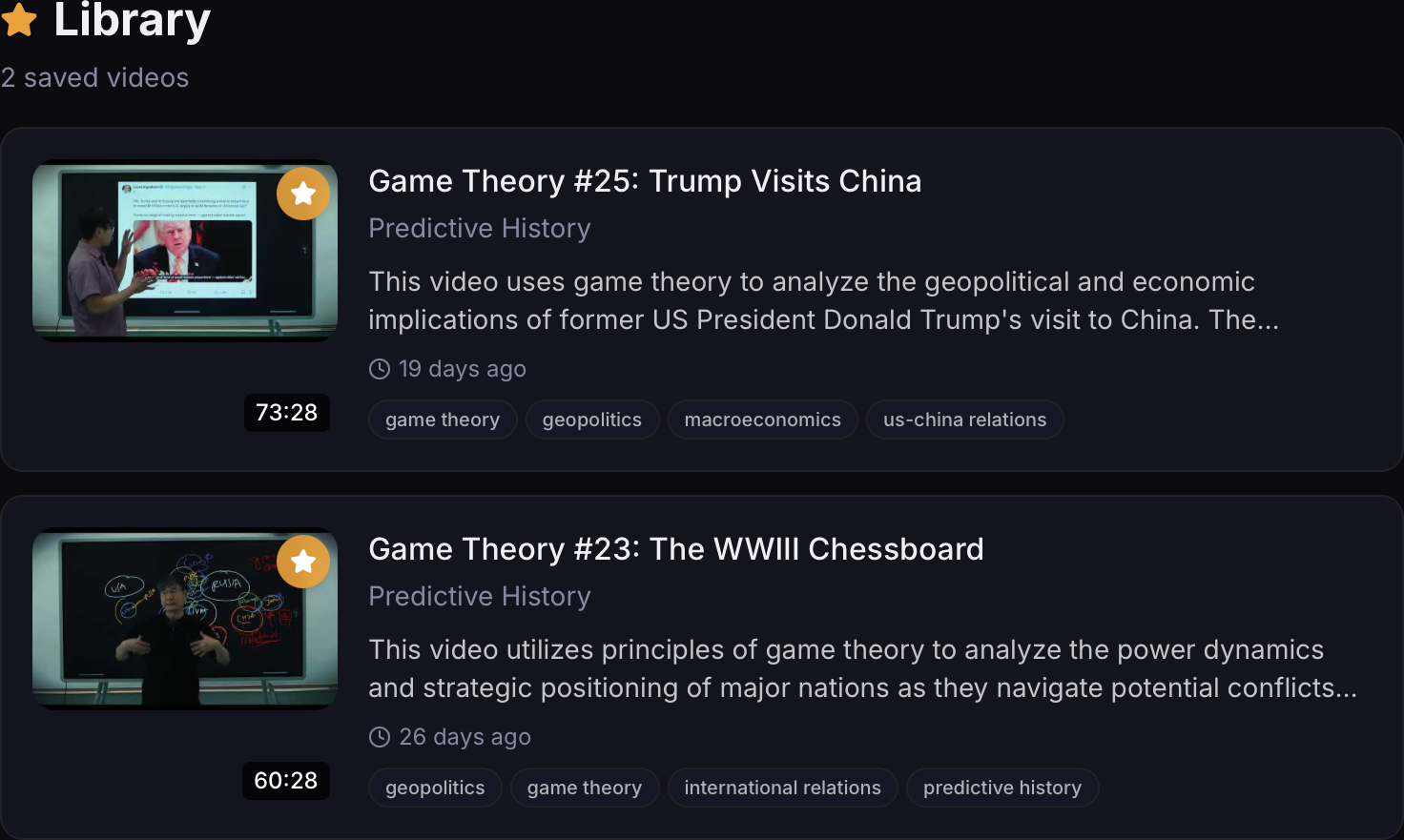
Every summary is kept — tagged, searchable, and organized, even after you stop tracking a channel. Your niche's history compounds instead of disappearing after one watch.
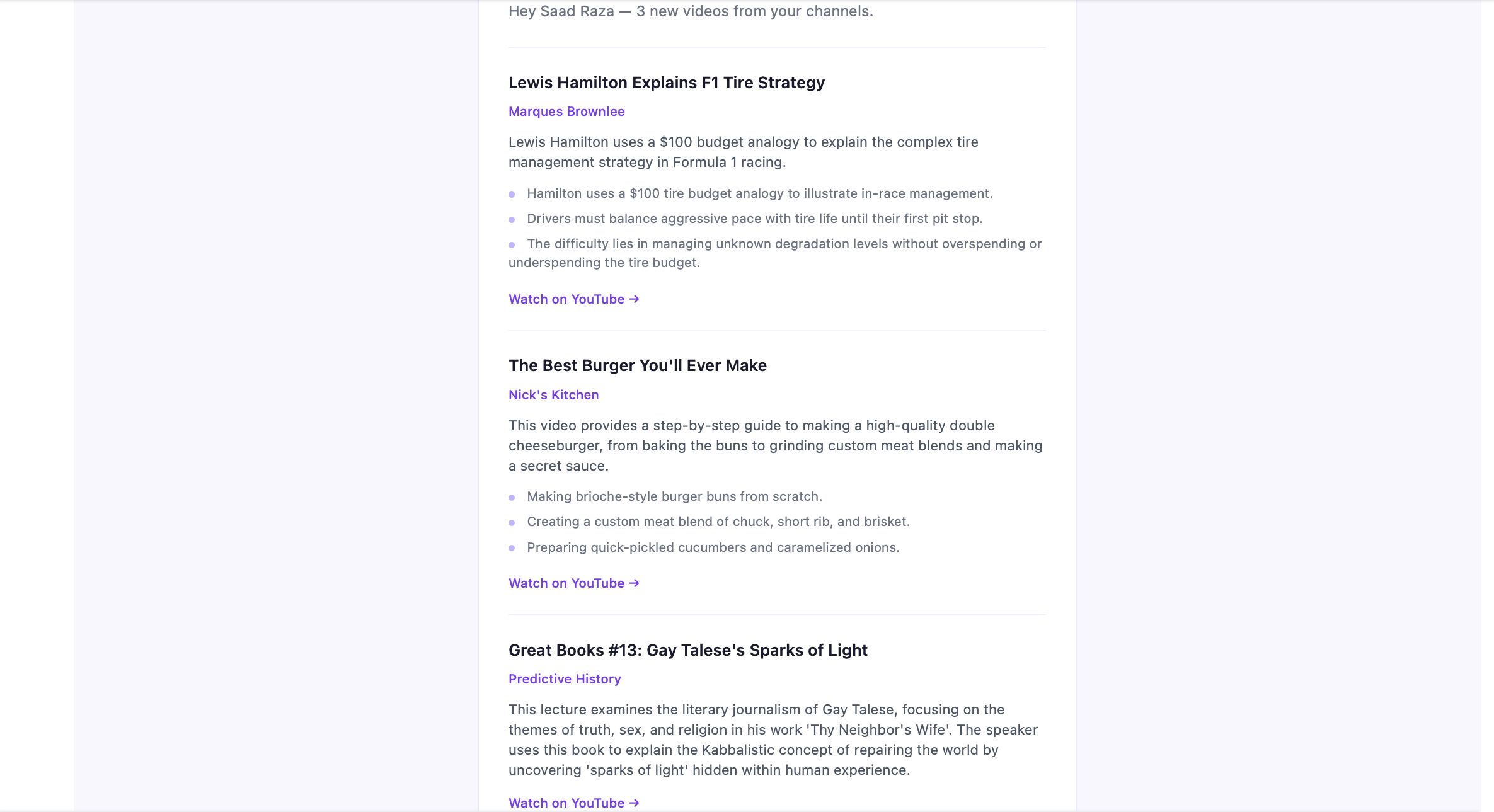
Not 30 summaries — one brief. What's trending across your niche, who's converging on the same idea, and where they disagree. Read it in two minutes over coffee — no app required.
"Before I plan a video, I read my niche brief and know exactly what's already been covered this week — and what nobody's touched yet."
The tech reviewer
"I track 25 competitors I'm not even subscribed to. When three of them converge on a topic, that's my signal to move."
The finance creator
"My editor searches the archive for 'who said what, when' instead of re-watching ten hours of footage. It's our research desk."
The faceless-channel team
Example workflows, not customer quotes — we're onboarding our first creators now.
Start free. Upgrade when you need more.
Get started with the basics.
For knowledge-hungry minds.
Billed as $47.99/year
Get PlusFor power users.
Billed as $95.99/year
Get MaxEverything in Max, plus Recall — your AI niche-research agent. Ask it anything across everything your niche has ever published, and track every competitor in your space.
Starting from
We'll adjust based on your needs.
We request read-only access to one thing: your YouTube channel subscriptions, so you can pick which ones to summarise. The exact Google permission scope is youtube.readonly.
We cannot post videos or comments, modify your subscriptions or playlists, see your watch history, or access any other Google service. Gmail, Drive, Calendar, and Photos are all off-limits to us.
Yes, in one click. Inside Rundown, go to Settings and click "Disconnect Google Account." This stops all future processing immediately and deletes our access tokens. You can also revoke access at any time from your Google Account security page. That path doesn't require visiting Rundown at all.
No. We don't sell, rent, or share your personal data with third parties for marketing, your email, your subscription list, and your account data stay with us only. When we generate summaries, we send the publicly available YouTube video content to AI model providers, not your personal data. Summaries themselves are stored as a shared resource tied to the video, so your "library" is simply a personalised view over which summaries you've followed. See our Privacy Policy for full detail.
Rundown is niche intelligence for YouTube creators. You tell it which channels make up your niche — competitors and benchmarks included, not just your subscriptions — and it summarises every new upload, then synthesises one brief on what's trending, who's converging, and where they disagree. Every summary is archived in a searchable memory of everything your niche has said. (It also works great as a plain AI YouTube summarizer for any single video.)
vidIQ and TubeBuddy tell you how to optimise your own videos — keywords, tags, titles, thumbnails. Rundown tells you what your niche is saying — which topics are heating up, who's converging on the same idea, who disagrees, and what nobody's covered yet. They help you package the video; we help you decide what video to make. They're complementary, not competitors.
A niche is simply the set of channels that define your space — your competitors, the big accounts you benchmark against, and the adjacent creators worth watching. Most creators land on 10–30 channels. Add them by URL or @handle and Rundown treats them as one unit: one feed, one brief, one searchable memory.
Yes — that's the point. Paste any channel's URL or @handle and Rundown starts covering it, whether or not you follow it on YouTube. Competitor tracking is the headline feature, not an afterthought. We only ever request youtube.readonly access, and adding a channel needs nothing more than its public URL.
Browser extensions like Eightify, Glasp, and Recall summarise one video at a time, on demand, while you're watching. Rundown monitors all your subscribed channels automatically, summarises new uploads as they go live, and delivers everything in one daily email. There's no extension to install and no per-video clicking. Every summary is also permanently archived and searchable, so your knowledge compounds instead of disappearing after one watch.
Rundown has a free tier with 15 summaries per month, unlimited channels, and the searchable library. No credit card required. Plus is $7.99/month (or $3.99/month billed annually — $47.99/year) for 150 summaries with the daily digest email. Max is $15.99/month (or $7.99/month billed annually — $95.99/year) for 500 summaries with priority processing. A dedicated Creator plan (starting from $29/month, adjusted to your needs) is coming soon — it adds Recall, an AI agent that investigates across everything your niche has published, on top of competitor tracking and the niche brief. Join the waitlist.
We use state-of-the-art large language models to analyse the underlying content and produce structured summaries. The output includes a concise overview, key points, timestamps where they apply, and a recommendation on whether it's relevant to you.
Not at all. Rundown helps you preview what's in any piece of content so you can decide what to engage with and jump straight to the most relevant parts. Think of it as a table of contents for everything you follow. It makes the time you do spend more intentional, not less.
Today Rundown summarises YouTube uploads. Podcasts, newsletters, and audiobooks are on the roadmap, the goal is one searchable library of summaries from every source you trust, regardless of medium.
CONTACT US
For general questions about Rundown, drop us a line at hello@getrundown.xyz. We read everything.
Start free. 15 summaries/month, no credit card, cancel anytime.
Track my niche →